What Brands Actually Check When They Approve a Clipping Campaign Submission

Scott Caputo
Clipping Guides

Most new clippers assume rejection means their editing wasn't good enough. That's rarely the case. The clips that get turned down most often fail before a single human reviewer sees them — they break a rule the campaign already published, or they're missing a detail so small it feels unfair.
Understanding the approval process from the brand's point of view changes everything. When you know what the review pipeline is checking and why, passing moderation stops feeling like luck and starts feeling like a repeatable skill.
How the Approval Pipeline Actually Works
When you submit a clip link, it doesn't land immediately in front of a brand manager who watches the whole thing and makes a judgment call. It enters a layered screening pipeline first.
The first pass is automated. The platform checks whether your account is properly connected, whether the submitted URL resolves to a live public post, and whether the clip matches the campaign parameters — platform, length, and source asset. This layer catches a significant share of rejections before any content review begins.
The second layer covers brand safety and attribution. Platforms run checks on engagement authenticity, source integrity, and whether the post can be linked back to the campaign correctly. Views from accounts that show suspicious velocity or artificial patterns are filtered out at this stage, not after payout. If your account isn't linked to the platform before you post, the system has no way to attribute your views and the submission fails structurally, regardless of how good the clip is.
Human review comes last, and it focuses on the edge cases the automated systems flag as borderline. According to how these pipelines are described across the industry, the majority of submissions are handled without manual review at all. The human queue is for clips where the automated signal was ambiguous. That means the most reliable path to approval is making sure your clip never reaches that ambiguous territory in the first place.
Approval means the clip cleared every layer — automated checks, brand safety scoring, attribution, and performance floor — and views from that post count toward your payout. Rejection at any single layer ends the process.

Every submission passes through these layers before a human reviewer sees it — or before it's approved automatically.
What Usage Requirements Are Actually Telling You
Every campaign publishes a brief that includes usage requirements. Most new clippers skim these. That's the first mistake.
Usage requirements exist because the brand owns or licenses the source content and needs to control how it's used commercially. They're not bureaucratic padding. They define what you're allowed to clip, how you're allowed to edit it, where you can post it, and what you must say (or not say) when you do.
Approved footage is always specified. The campaign names which assets, streams, or videos you may clip. Using content that wasn't listed — including reposting another clipper's version of a clip, which is a common mistake — is an automatic disqualifier. The rule isn't just about copyright. It's about traceability: the brand needs to know the clip came from an authorized source.
Editing limits matter too. Most campaigns prohibit altering a brand's messaging materially, ban competitor comparisons unless explicitly approved, and forbid impersonation or synthetic voice replacements. These aren't arbitrary restrictions. A brand that approves 500 clips has no control over what those clips say unless the brief is specific, so the brief is doing real legal and reputational work.
Disclosure rules are non-negotiable. Because clippers are compensated, each post must carry a clear disclosure. The FTC's guidance on endorsements is explicit that a disclosure buried in the caption or placed at the end of the video doesn't meet the clear-and-conspicuous standard. The safest interpretation is a verbal or on-screen label within the first few seconds, visible before the viewer can skip or scroll past.
If a campaign brief uses vague language — "keep it on brand" without concrete checkable rules — treat that as a risk signal and ask for specifics before you post. Vague briefs create ambiguity that almost always resolves in the brand's favor during review, not yours.

Most rejections trace back to one of these six issues. Each has a straightforward fix you can apply before you post.
The Disqualifiers That Kill a Clip Before It's Reviewed
There's a useful mental model here: think about your submission in two stages. Stage one is structural compliance. Stage two is content quality. Most rejections happen in stage one, and stage one is entirely within your control.
Wrong footage source is the most common structural failure. If the campaign specifies a particular video, stream, or approved asset library and you clip from something adjacent to it, the submission fails. Check the exact asset list, not just the brand name.
A missing caption element is the second most common trap. Hashtags, disclosure language, and brand credits live in the post caption, not in the video itself. It's easy to focus on the edit and forget the caption entirely. A clip with a clean hook and good pacing still gets rejected if the disclosure isn't there. Confirm every required caption element before you hit publish, not after.
Length violations are easy to avoid and common anyway. If a campaign specifies a maximum of 60 seconds, a 65-second clip is rejected. The rule is binary.
Posting from an unlinked account is a structural disqualifier that stops the process before any content review occurs at all. The platform can't verify, attribute, or count views from an account it has no record of. Link your account to the platform before you do any other step.
Suspicious view patterns will catch up with you even if the clip is approved initially. Platforms run source IP analysis, engagement rate checks, comment authenticity scoring, and velocity anomaly detection. Views that fail these checks are excluded from your verified count. A post can be approved and still pay less than expected if a portion of its views don't pass the verification layer.
The Pre-Publish Checklist That Gets You Through First Time
Approval is a skill, and like most skills it comes down to having a repeatable process rather than trusting your memory under pressure.
Before you post anything, work through these checks in order. First, confirm your account is connected to the campaign platform. Second, verify the source asset: is the footage you used on the campaign's approved list? Third, check your clip length against the campaign's stated maximum and minimum. Fourth, read the caption requirements and confirm you have every mandatory element — disclosure language, required hashtags, brand credit or tag — sitting visibly in the caption before the fold. Fifth, verify your post is set to public. A private or restricted post can't be verified.
For disclosure specifically, the clearest approach is to place it at the start of the caption and, where the campaign allows it, include a brief on-screen label in the first few seconds of the video. This isn't just good practice; it's the standard regulators point to when they assess whether a disclosure was clear enough.
On the content side, the clips that perform best after approval tend to share a few structural qualities: they have a hook in the first two to three seconds that creates a reason to keep watching, they carry a recognizable moment or clear payoff rather than filling time, and the editing respects the native rhythm of the platform they're posted to. These qualities matter because your goal isn't just approval — it's verified views, and views only accumulate on clips people actually watch.
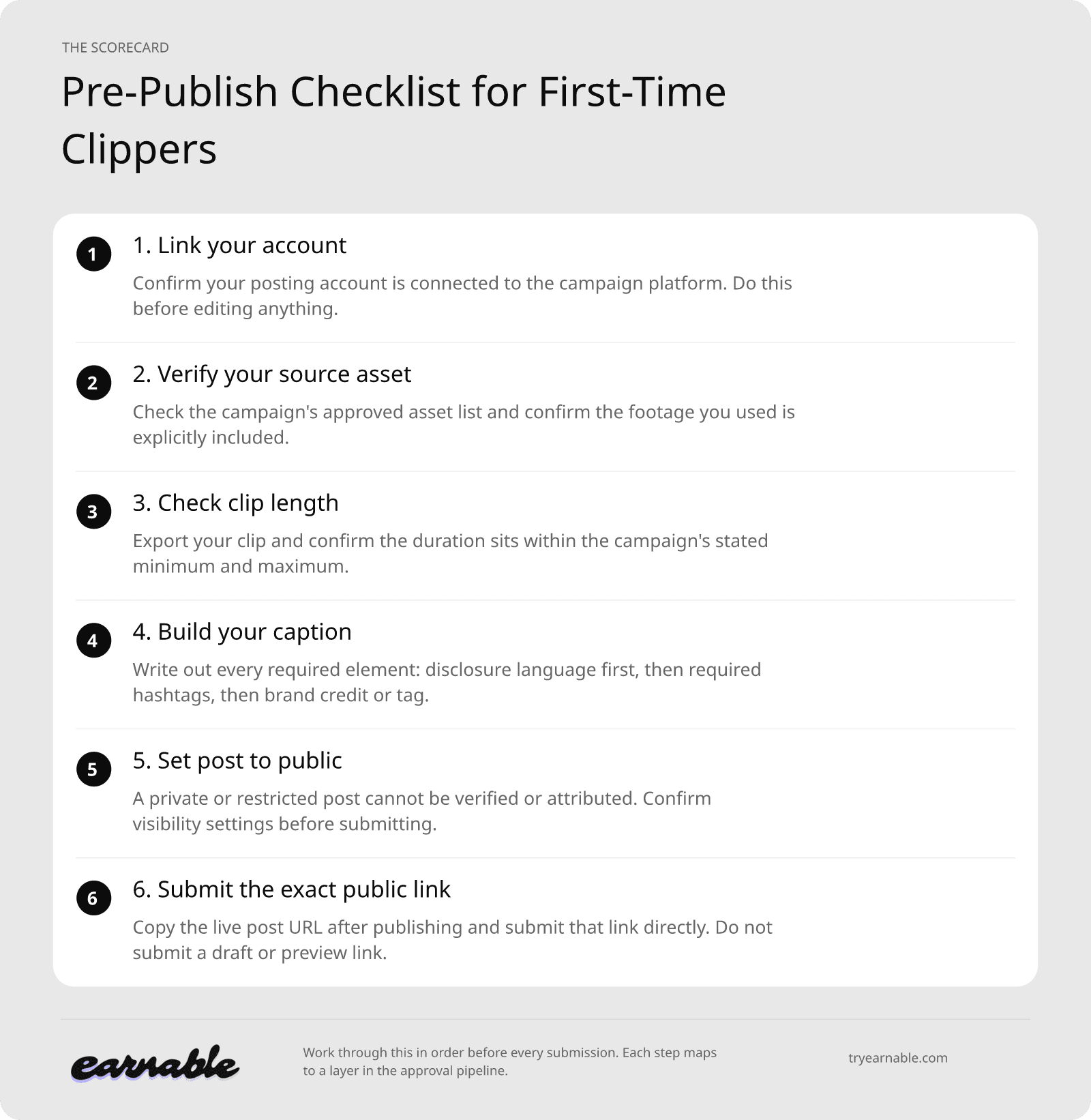
Work through this in order before every submission. Each step maps to a layer in the approval pipeline.
Approval and the Connection to Verified Views
Approval and payment are two distinct steps, and understanding both matters.
Approval means your clip passed every layer of the review pipeline and the views it earns are eligible to count toward your payout. But views on an approved clip still go through a verification process. The platform matches your submitted post link to the live public post, then counts the views that meet the campaign's conditions. Views that were generated under suspicious conditions, or that otherwise don't meet the campaign's platform-specific rules, are excluded from the verified total.
This is why a creator's lifetime view count on a post can sit higher than the verified view figure the platform reports. That isn't the platform underpaying. It's the verification layer doing its job, filtering out views that the brand hasn't agreed to pay for. Most campaigns also set a minimum view threshold per post before any views count at all, so a clip that doesn't reach that floor contributes nothing to your payout even if it was approved.
The practical implication is straightforward. Getting your clip approved is a necessary condition for earning, but it isn't sufficient on its own. You need approval plus real, organic views above the campaign threshold. The pre-publish checklist handles the approval side. Posting at the right time for your platform, writing a caption that earns a click, and choosing the most shareable moment in the source material handles the views side.
These two objectives reinforce each other. A clip built around a genuine moment, posted cleanly with every required caption element, to an audience that actually engages, is both the most likely to clear moderation and the most likely to accumulate views worth paying out.
Getting Your First Approval and Building From There
The smartest approach for a first campaign is to treat the brief as a checklist rather than background reading. Print it, annotate it, and work through it element by element before you touch your editing software. The goal is to make it impossible to miss a requirement, not to move fast.
Start with one campaign and one clip. The approval and payout process has more moving parts than it looks like from the outside — linked accounts, verified views, caption requirements, disclosure standards, platform-specific rules — and learning them on a single submission is much more efficient than discovering a recurring error across ten clips at once.
Once you understand why your clip was approved or why it wasn't, you have something valuable: a repeatable process you can refine. Each approved clip builds evidence about what works on that campaign and on that platform. Each rejection, read carefully, tells you exactly which rule to check first next time.
Approval isn't the finish line. It's the entry point. The clippers who build consistent earnings treat it as the baseline standard their process is designed to hit every time, not something they hope for after they submit.
If you're ready to start finding clipping campaigns to apply to, Earnable brings brand campaigns, briefs, approvals, and payments into one place so nothing gets lost between steps.